While looking for other people who have actually used SOAP to access the Flickr API, I discovered Synergy.
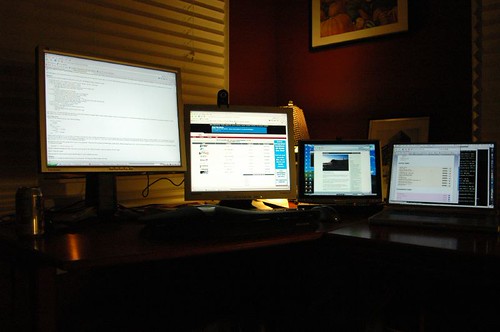
My life’s dream is complete: I have actually discovered a useful utility before Scott Hanselman! Marvel at how I can use the same keyboard and mouse on the same virtual desktop across three computers, one of which is my Powerbook!
All I have to do is roll the mouse to the desired screen, and the keyboard “focus” follows my mouse. Absolutely fantastic utility.
12 archived reader comments
Dan Dunham (2005-11-26)
I love the idea of Synergy, and when it worked it was great (I have a dual-monitor main machine, one secondary machine, and a laptop using it at work). However, roughly once a day I have to kill all of them when it gets completely hosed and messes up the state of Shift, Alt, or Windows-key on one of the workstations (typing quickly becomes un-fun). It’s paticularly bad about handling when some of the desktops go into locked mode, or losing the mouse cursor completely.
John Lam (2005-11-27)
So far I’ve had no problems whatsoever with Synergy. Perhaps you’re using an older build? I regularly detach my PowerBook and my Tablet PC from this configuration and when they come back, everything continues to work just fine. I’ll be on the lookout for problems, though.
Scott Hanselman (2005-12-03)
Phooey on you! Ya, I’m loving Synergy, I use it to talk to my Mac Mini.
Have you had trouble with them losing connection when the Mac falls asleep? This has kept me from running the Mac headless.
John Lam (2005-12-04)
Nope - no problems at all bringing my Powerbook in and out of suspend. I find that with my Toshiba and my Powerbook, if I use them away from my network and bring them back that everything “just works” provided that I keep the synergy client software running while away from my network.
bryan (2006-05-16)
Hi - I’m particularly blown away by synergy. Just wanted to find out if you cracked the ctl-click as mousebutton(2) issue for users with a powerbook in the middle of a few XP computers.
Ulitmately, I’m just looking to get a right click on the windows computers using the macbook pro’s built in one-button track pad.
I would settle for any practical modifier key (would love to use fn or apple-alt or ctl-alt or anything that’s not already used with a mouse click in windows).
I’ve tried various configurations and had no success yet. Any breakthroughs on your end?
section: options mousebutton(alt+1) = mouseDown(2) ; mouseUp(2) end
Yuva (2006-05-29)
I have dual monitor (Dell) connected “both” to my windows and Mac G5 (so I can switch back and forth and use both the monitors on any computer when I want). Have synergy installed and running -> works fine -> except mac disconnects once in a every minute and connects itself.
Any advice?
Rob (2007-01-10)
It’s Ctl-Alt-Pause in Synergy.
from http://synergy2.sourceforge.net/faq.html#faq1 :
Why doesn’t ctrl+alt+del work on secondary screens? Synergy isn’t able to capture ctrl+alt+del on PC compatible primary screens because it’s handled completely differently than other keystrokes. However, when the mouse is on a client screen, pressing ctrl+alt+pause will simulate ctrl+alt+del on the client. (A client running on Windows NT, 2000, or XP must be configured to autostart when the computer starts for this to work.)
Rob (2007-01-10)
It’s ctl-alt-pause in Synergy
Anson (2007-02-04)
bryan, don’t know if you’ve figured out the button issue since last May, but this works:
mousebutton(control+1) = mousebutton(3)
to get a right-click on a windows machine from a MacBook Pro keyboard. From what I gather, Synergy is based on a 3 button mouse configuration, and on a PC, there is no mouse button 2 in a 3 button world.
JoelPM (2007-03-21)
Anson, thanks for posting your comment. I was ready to abandon using my MBPro to control my Linux workstation, much appreciated!
insane.tsunami (2009/03/03)
Really JoelPM, thank you very much, ANSON! :) Your post save my day! :D
my life dream (2010/11/15)
Congratulations on your find. Thanks for sharing. And… Synergy works for macs too. Hooray!